

Partition Plus / Installation resources
Toilet partition
installation guides.
Toilet partition installation instructions, organized by manufacturer, material, and mounting style. Find the manual that matches your project before you pick up a tool.
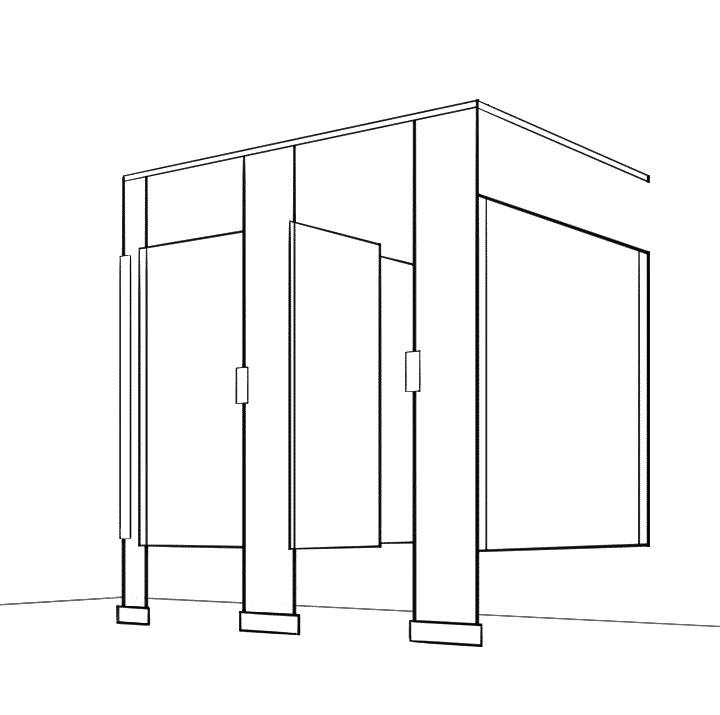
Match the system. Check the hardware.
Manufacturer library
Find your installation guide.
Select a manufacturer to browse its manuals. Narrow the list if you know your material or mounting style.
ASI Global PartitionsMetal, laminate, HDPE & phenolic7 guides
Match the series and hardware on your order to the manual below. Follow your approved layout and the manufacturer’s instructions together.
Manufacturer resources-
Open PDF
Integrated Privacy — metal partitions
Powder-coated and stainless steel; use the section for your mounting style.
-
Open PDF
Solid plastic / HDPE
Overhead-braced, ceiling-hung and floor-to-ceiling sections; match the hardware to your order.
-
Open PDF
Plastic laminate
Plastic laminate partitions; mounting sections are included in the manual.
-
Open PDF
Black core & color-thru phenolic
Standard phenolic instructions. Ultimate Privacy has a separate manual below.
-
Open PDF
Ultimate Privacy — phenolic
Floor-anchored, overhead-braced Ultimate Privacy system.
-
Open PDF
Maximum Privacy — overhead braced
Phenolic Maximum Privacy system with transom panels.
-
Open PDF
Maximum Privacy — floor to ceiling
Phenolic Maximum Privacy system with transom panels.
BobrickDuraLine, Designer, Classic, Metro & Sierra11 guides
Match the series and hardware on your order to the manual below. Follow your approved layout and the manufacturer’s instructions together.
Manufacturer resources-
Open PDF
1080 / 1180 DuraLineSeries
Compact laminate; includes institutional hardware option .67.
-
Open PDF
2080 / 2180 DuraLineSeries — maximum privacy
Maximum-privacy compact laminate; includes option .67.
-
Open PDF
3080 / 3180 DuraLineSeries — extended privacy
Extended-privacy .67P systems, including transom details.
-
Open PDF
1040 DesignerSeries — standard privacy
US manual; includes continuous hardware option .65.
-
Open PDF
2040 DesignerSeries — maximum privacy
US manual; includes continuous hardware option .65.
-
Open PDF
1540 ClassicSeries
High-pressure laminate with the options shown in the manual.
-
Open PDF
1550 MetroSeries
US manual for 1550. For 1530 AccentSeries, use the archived manual below.
-
Open PDF
1090 SierraSeries
Solid color reinforced composite; includes institutional hardware option .67.
-
Open PDF
1030 TrimLine / 1040 Designer — archived edition
Stored manufacturer manual for older systems. Confirm the series and hardware before use.
-
Open PDF
2030 TrimLine / 2040 Designer — archived edition
Stored maximum-privacy manual for older systems.
-
Open PDF
1530 Accent / 1550 Metro — archived edition
Stored combined manual. The current 1550 manual does not cover 1530.
BradleySeries 400, 500, 600 & 70016 guides
Match the material and door/panel height. The standard-height Series 400 link below covers stainless steel only. For standard-height powder-coated Series 400, contact us for the manual matching your order. Stored editions are labeled.
Manufacturer resources-
Open PDF
Series 400 — stainless steel
Standard-height doors and panels. This linked edition covers stainless steel only.
-
Open PDF
Series 400 — metal, 69″ / 72″
Stored edition for 69″ and 72″ tall doors and panels.
-
Open PDF
Series 500 — metal
Stored standard-height edition; floor-braced mounting.
-
Open PDF
Series 600 — metal
Stored standard-height edition; ceiling-hung mounting.
-
Open PDF
Series 700 — metal
Stored standard-height edition.
-
Open PDF
Series 700 — metal, 69″ / 72″
Stored edition for 69″ and 72″ tall doors and panels.
-
Open PDF
Series 400 — phenolic
Stored standard-height edition.
-
Open PDF
Series 400 — phenolic, 69″ / 72″
Stored edition for 69″ and 72″ tall doors and panels.
-
Open PDF
Series 500 — phenolic
Stored standard-height edition; floor-braced mounting.
-
Open PDF
Series 600 — phenolic
Stored standard-height edition; ceiling-hung mounting.
-
Open PDF
Series 700 — phenolic
Stored standard-height edition.
-
Open PDF
Series 700 — phenolic, 69″ / 72″
Stored edition for 69″ and 72″ tall doors and panels.
-
Open PDF
Series 400 — Bradmar solid plastic
Standard-height doors and panels; includes No-Site style.
-
Open PDF
Series 400 — Bradmar, 69″ / 72″
Stored edition for 69″ and 72″ tall doors and panels.
-
Open PDF
Series 700 — Bradmar solid plastic
Stored standard-height edition; includes No-Site style.
-
Open PDF
Series 700 — Bradmar, 69″ / 72″
Stored edition for 69″ and 72″ tall doors and panels.
HadrianStandard & Elite metal, solid plastic3 guides
Match the series and hardware on your order to the manual below. Follow your approved layout and the manufacturer’s instructions together.
Manufacturer resources-
Open PDF
Standard Series — metal
One manual covers powder-coated and stainless steel. See the mounting appendices.
-
Open PDF
Elite / Elite Plus / Elite Max — metal
Stored 2019 manufacturer edition; confirm privacy height and hardware.
-
Open PDF
Solid plastic / HDPE
Headrail-braced instructions with ceiling-hung and floor-to-ceiling appendices.
Scranton ProductsHiny Hiders, Aria & Eclipse4 guides
Match the series and hardware on your order to the manual below. Follow your approved layout and the manufacturer’s instructions together.
Manufacturer resources-
View resources
Hiny Hiders — manuals & hardware
Full manual, drawings and individual hinge instructions on Scranton’s resource page.
-
View resources
Aria — full manual & latch instructions
Use the complete installation manual and the occupancy-latch instructions for your system.
-
View resources
Eclipse 2 — manuals, quick guide & videos
Current Eclipse 2 resource page. Match the system generation to your order.
-
Open PDF
Original Eclipse — archived manual
Stored instructions for the original Eclipse system, not Eclipse 2.
No guides match those filters.
Try a series number, choose fewer filters, or ask us to identify your system.
Check the edition before installing. Some guides are stored manufacturer editions for older systems. Confirm the material, series, height, and hardware against your order. Scranton resource pages include system-specific manuals and hardware supplements.
Not sure which mounting style you have?
Overhead braced
Floor-anchored pilasters connected by a headrail. Also called headrail braced.
Floor mounted
Pilasters anchored at the floor without an overhead headrail. Bradley calls this floor braced.
Ceiling hung
Pilasters supported from the structure above, with the floor below them clear.
Floor to ceiling
Pilasters secured at both the floor and the structure above the ceiling.
Before the first hole
A little preparation.
A smoother install.
The manual and your approved layout work together. Have both on site, along with the hardware instructions for your specific system.
More planning resourcesConfirm what arrived
Check the panels, doors, pilasters, brackets, and hardware against the packing list. Resolve missing or damaged parts before installation. Use the parts identification and fit checklist if you need help recognizing a component.
Verify the room and layout
Compare field dimensions, door swings, and finished surfaces with the approved drawing. Check required clearances before setting out anchors.
Check the mounting support
Confirm the required backing, floor anchorage, and any overhead structural supports with the project team. Use the fasteners specified for the system and substrate.
Use the system’s tool list
Follow the manual for drill sizes, supports, storage conditions, and protective equipment. Hole depths and panel clearances vary by product.
See the process
From layout to final adjustment.
A general orientation to the work. Your manufacturer’s manual sets the sequence, dimensions, and fastening details for your project.
Installation walkthrough
Use this example to understand the process, then follow the instructions for your exact partition system.
Lay out & anchor
Establish the locations from the approved drawing and install the specified anchors and brackets.
Set panels & pilasters
Support, position, and align components using the clearances and fixing details in your manual.
Fit doors & hardware
Install the required bracing, hinges, latches, and accessories in the manufacturer’s sequence.
Adjust & inspect
Check alignment, door operation, fastening, and project clearances. Clean surfaces as directed.
Project examples
Plan the support and the complete scope.
Our team installed approximately 100 ceiling-hung, powder-coated steel stalls at the U.S. Naval Academy. Read the project story and ceiling-hung coordination checklist for the support, drawing and access questions to resolve on a similar job. The manufacturer’s manual and approved project drawings remain the installation references.
For scope planning, our National Gallery toilet-and-shower partition example separates the supplied systems from adjacent work. Before installation, confirm responsibility for removal, backing, surface repairs and wet-area trades. A purchase-and-installation line does not, by itself, include every part of a room renovation.
A real person can help
Not sure which guide you need?
Have your order number, manufacturer, and a photo of the hardware ready. We’ll help you identify the right installation resources.